Options avancées de rendu de carte
Caution
Ces options modifient considérablement la façon dont la carte est rendue. Après en changeant une valeur, il faut du temps pour que le changement apparaisse, car chaque morceau doit être redessiné. Ne les ajustez que si vous savez quoi vous faites ; utilisez le bouton Réinitialiser pour revenir aux valeurs par défaut.
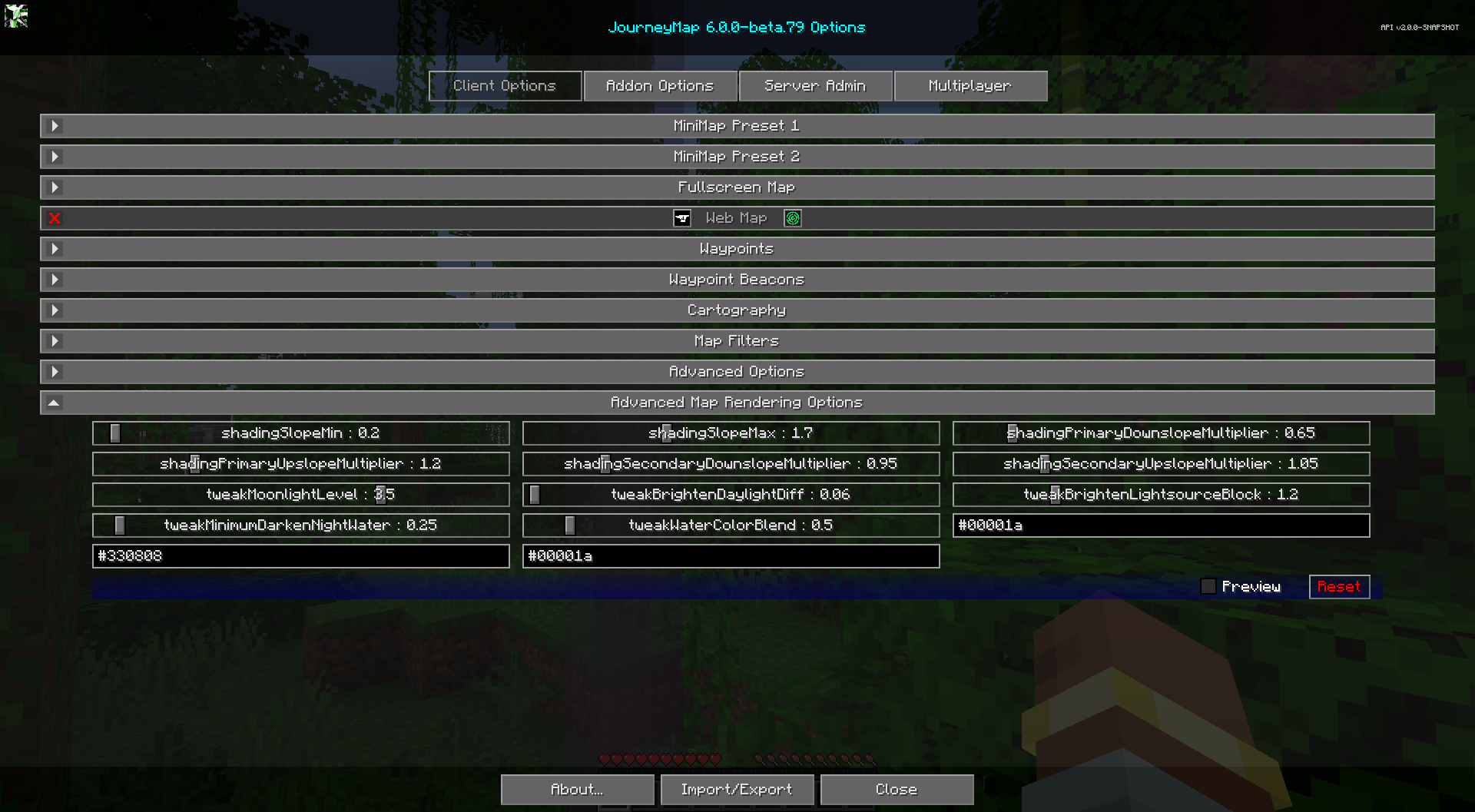
Cette catégorie affine les calculs d'ombrage et d'éclairage du moteur de rendu de carte. utilise. Les valeurs par défaut sont ajustées pour bien paraître dans la plupart des mondes.
Slope shading
Ceux-ci contrôlent l'effet d'ombrage qui donne à la carte son impression de élévation.
| Paramètre | Plage (par défaut) | Descriptif |
|---|---|---|
| ombrageSlopeMin | 0 - 5 (0,2) | Limite inférieure de la plage d'ombrage de la pente. Les pentes en dessous sont aplaties. |
| ombrageSlopeMax | 0 - 5 (1,7) | Limite supérieure de la plage d'ombrage de la pente. Les pentes au-dessus sont bloquées. |
| shadingPrimaryDownslopeMultiplier | 0 - 5 (0,65) | Dans quelle mesure les pentes orientées vers le bas sont obscurcies (passage primaire). |
| shadingPrimaryUpslopeMultiplier | 0 - 5 (1,20) | Dans quelle mesure les pentes orientées vers le haut sont-elles éclaircies (passage primaire). |
| ombrageSecondaireDownslopeMultiplier | 0 - 5 (0,95) | Assombrissement de la pente descendante pour la passe d’ombrage secondaire. |
| shadingSecondaryUpslopeMultiplier | 0 - 5 (1,05) | Éclaircissement de la pente ascendante pour la passe d'ombrage secondaire. |
Ajustements de lumière et de luminosité
| Paramètre | Plage (par défaut) | Descriptif |
|---|---|---|
| modifierMoonlightLevel | 0 - 5 (3,5) | Le niveau de lumière utilisé comme clair de lune lors du rendu de la carte nocturne. |
| tweakBrightenDaylightDiff | 0 - 5 (0,06) | À quel point la carte du jour est éclaircie. |
| tweakBrightenLightsourceBlock | 0 - 5 (1,2) | Combien de blocs électroluminescents sont éclaircis sur la carte. |
| tweakMinimumDarkenNightWater | 0 - 5 (0,25) | La quantité minimale d'eau est obscurcie sur la carte de nuit. |
| modifierWaterColorBlend | 0 - 5 (0,5) | Dans quelle mesure la couleur de l’eau se mélange-t-elle avec le terrain en dessous. |
Ambient colors
Ceux-ci définissent la teinte ambiante appliquée à la carte dans chaque environnement. Chacun
la valeur est une couleur hexadécimale (#rrggbb).
| Paramètre | Par défaut | Descriptif |
|---|---|---|
| tweakSurfaceAmbientColor | #00001a | Teinte ambiante pour la carte de surface Overworld. |
| modifierNetherAmbientColor | #330808 | Teinte ambiante pour la carte du Nether. |
| tweakEndAmbientColor | #00001a | Teinte ambiante pour la carte de fin. |