Cartography Settings
Translation needed for 6.0
This page was updated for JourneyMap 6.0 in English. Translation is pending; the content shown is the English source. See Contributing to help translate the docs.
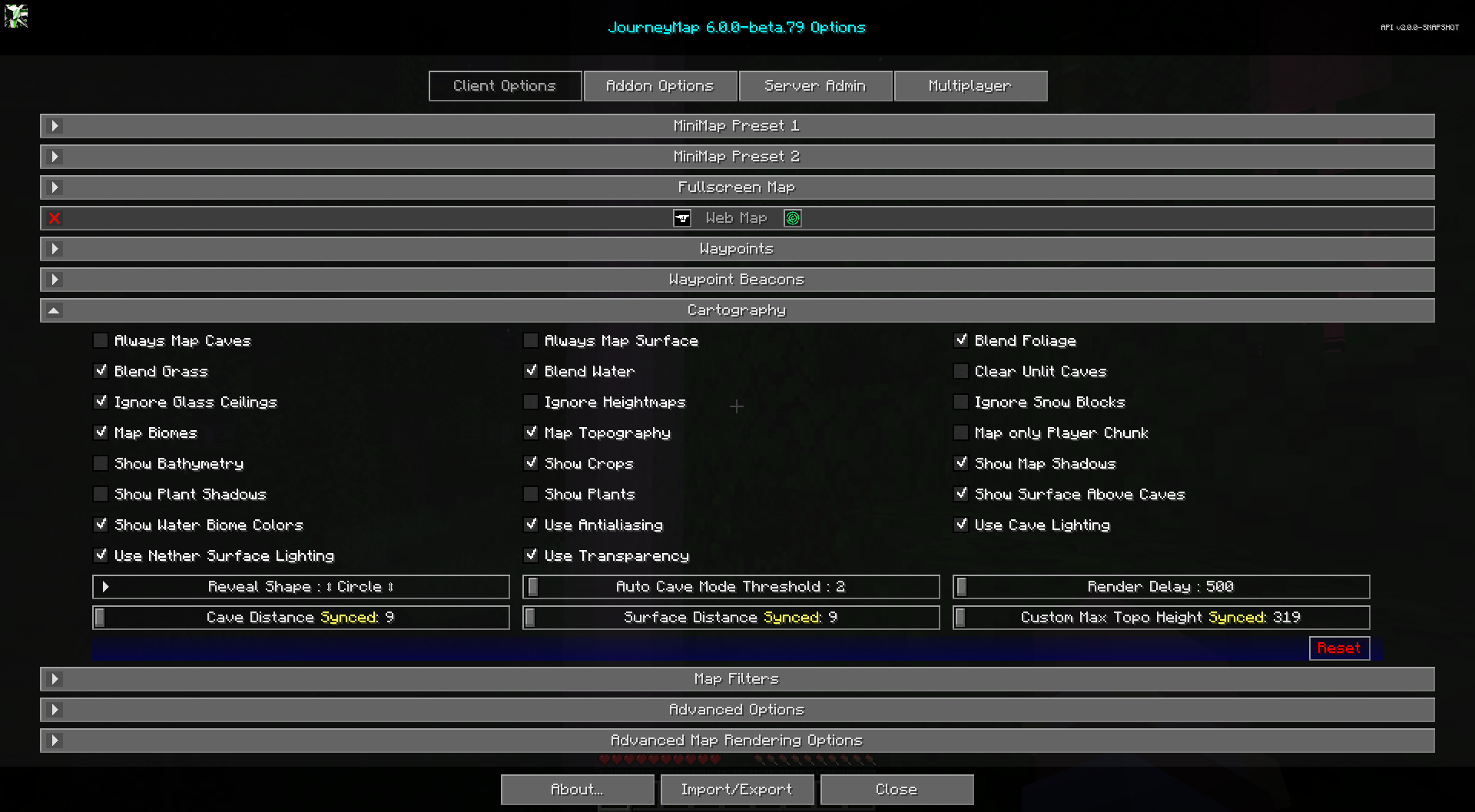
The cartography settings allow you to customize how the map is rendered, and what is shown on it.
For map color filters and shader options, see Map Filters.
Toggles
The bold toggle settings below are enabled by default.
| Toggle | Description |
|---|---|
| Always Map Caves | Always map every cave layer in your vertical chunk, even when on the Overworld surface. Disabling this will improve performance. |
| Always Map Surface | Always map the Overworld surface, even when underground. Disabling this will improve performance. |
| Blend Foliage | Blends foliage colors between biomes. Disable to improve performance. |
| Blend Grass | Blends grass colors between biomes. Disable to improve performance. |
| Blend Water | Blends water colors between biomes. Disable to improve performance. |
| Clear Unlit Caves | Unlit and inner slice blocks are rendered clear instead of black. This option only affects newly mapped blocks. |
| Ignore Glass Ceilings | Being under a glass roof will not switch to cave mapping |
| Ignore Heightmaps | Ignores chunk heightmaps if the top layer of the world is not rendering correctly. This may impact performance. |
| Ignore Snow Blocks | Ignores all snow type blocks from mapping. This is an experimental feature and may have weird side effects and may be removed in the future. |
| Map only Player Chunk | Only maps the chunk the player is currently standing in. It ignores any distance setting. |
| Map Biomes | Provides a map of biomes. |
| Map Topography | Provides a contour map that shows elevation changes |
| Show Map Shadows | Blocks will cast shadows on map. |
| Show Bathymetry | Shows the terrain of the ocean floor and under water |
| Show Crops | Crops are shown on the map |
| Show Plant Shadows | Plants and crops will cast shadows on the map |
| Show Plants | Plants are shown on the map |
| Show Surface Above Caves | A dim view of the nearby surface is visible when underground |
| Show Water Biome Colors | Shows water colors based on biome. |
| Use Antialiasing | Enhances the shading effect used to show elevation changes. Disabling may improve performance. |
| Use Cave Lighting | Use the actual light levels underground. Disable to use full light. |
| Use Nether Surface Lighting | When enabled, uses actual world light levels for the Nether surface map. When disabled, uses maximum brightness so the map is always visible. |
| Use Transparency | Transparent blocks will reveal what is below them |
Other Settings
The default option for each setting below is marked with bold text.
| Setting | Options | Description |
|---|---|---|
| Reveal Shape |
|
Shape of the map area revealed around you. Circle reveals fewer chunks than Square and will improve performance. |
| Render Delay | Range: 100 - 60000 (in milliseconds, Default: 500) | Time (in milliseconds) between render passes. Higher values can improve performance, but may result in missed chunks while travelling. |
| Cave Distance | Range: 0 - 32 (in chunks, Default: 0) | Radius of chunks around you that are eventually mapped underground or in dimensions with no sky. Lower values can improve performance. Values greater than Minecraft's render distance have no effect. Set to 0 to mirror the video option chunk render range. |
| Surface Distance | Range: 0 - 32 (in chunks, Default: 0) | Radius of chunks around you that are eventually mapped on the surface in dimensions with a sky. Lower values can improve performance. Values greater than Minecraft's render distance have no effect. Set to 0 to mirror the video option chunk render range. |
| Custom Max Topo Height | Range: 0 - 320 (in blocks, Default: 0) | The height that topography mapping uses for the max height calculations. Any blocks above this height will be white. Changing this setting may have dramatic effects on the topography map. Set to 0 to use the world default max build height. |
| Auto Cave Mode Threshold | Range: 1 - 100 (in blocks, Default: 2) | How many blocks to switch to cave mode. This is useful for preventing cave mode switching when going in a house. |